Choosing the Right Template
A guide to the 12 page templates available in CloudCannon.
When creating a new page, CloudCannon asks you to choose a template. Each template comes pre-configured with the right content blocks for that page type.
Available Templates
Section titled “Available Templates”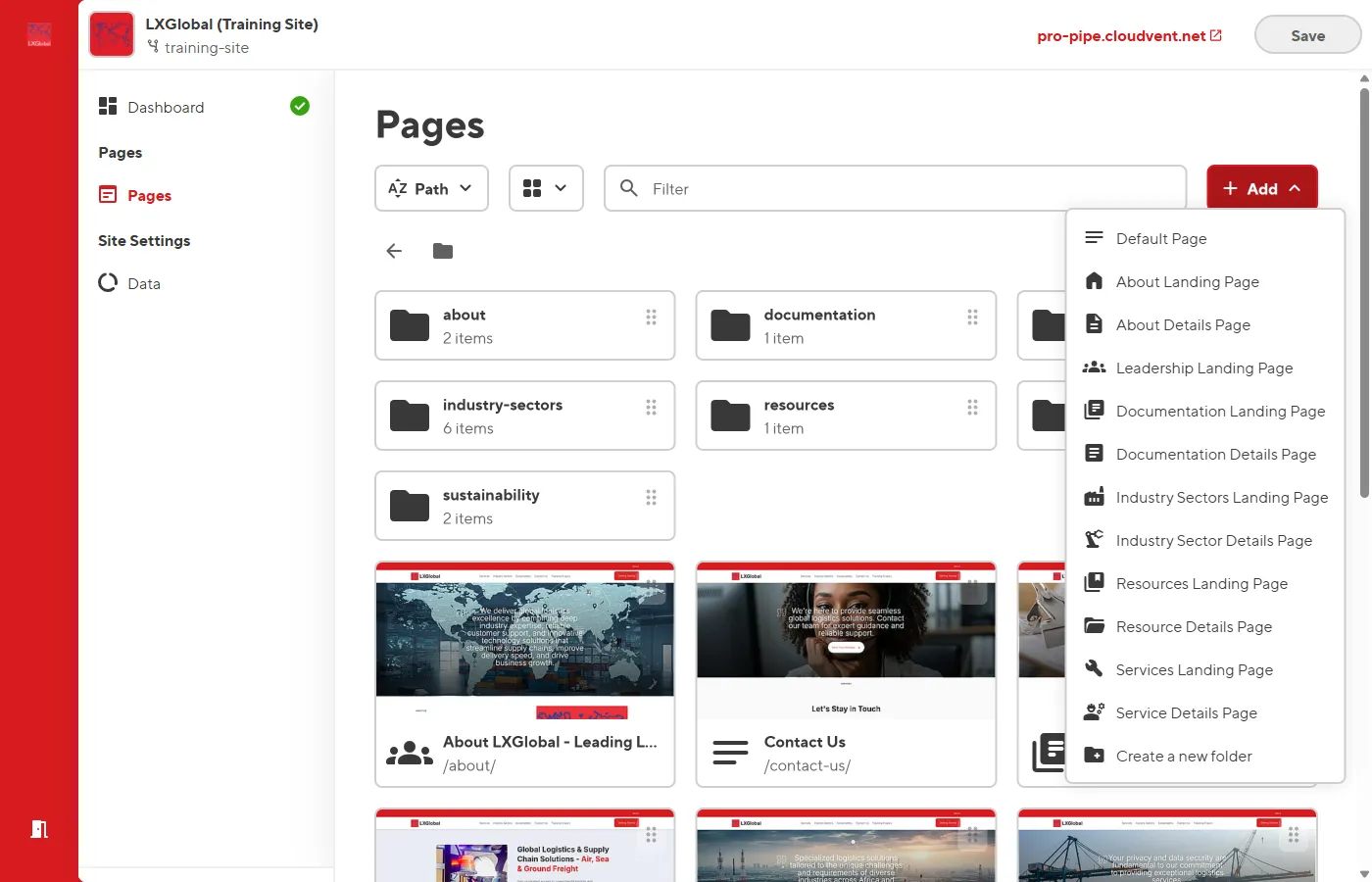
| Template | Use When | Location |
|---|---|---|
| Default Page | Creating a generic page | Any path |
| About Landing Page | Main About section page | Root level |
| About Details Page | Sub-pages under About | about/ folder |
| Leadership Landing Page | Team/management page | about/ folder |
| Services Landing Page | Main Services overview | Root level |
| Service Details Page | Individual service pages | services/ folder |
| Industry Sectors Landing | Main sectors overview | Root level |
| Industry Sector Details | Individual sector pages | industry-sectors/ folder |
| Resources Landing Page | Main resources overview | Root level |
| Resource Details Page | Individual resource pages | resources/ folder |
| Documentation Landing | Main docs overview | Root level |
| Documentation Details | Individual doc pages | documentation/ folder |
How to Choose
Section titled “How to Choose”Ask yourself:
- What section of the site does this page belong to? (Services, About, Industry Sectors, etc.)
- Is this a landing page or a detail page?
- Landing pages show an overview with a grid of cards linking to sub-pages
- Detail pages show in-depth content about a specific topic
Template Differences
Section titled “Template Differences”All templates share these common blocks:
- Hero Banner (top)
- Resources Banner (bottom)
The difference is in the middle content blocks:
| Template Type | Middle Blocks |
|---|---|
| Landing pages | Text Block + Media Block Group (card grid) |
| Detail pages | Media Block + Service Cards Grid |
| Leadership | Text Block + Profiles List + Governance Cards |