Understanding the Dashboard
A tour of the CloudCannon dashboard and where to find things.
When you log in to CloudCannon, you’ll see the Dashboard — your home base for managing the LXGlobal website.
Dashboard Layout
Section titled “Dashboard Layout”The dashboard is organized into two main areas in the left sidebar:
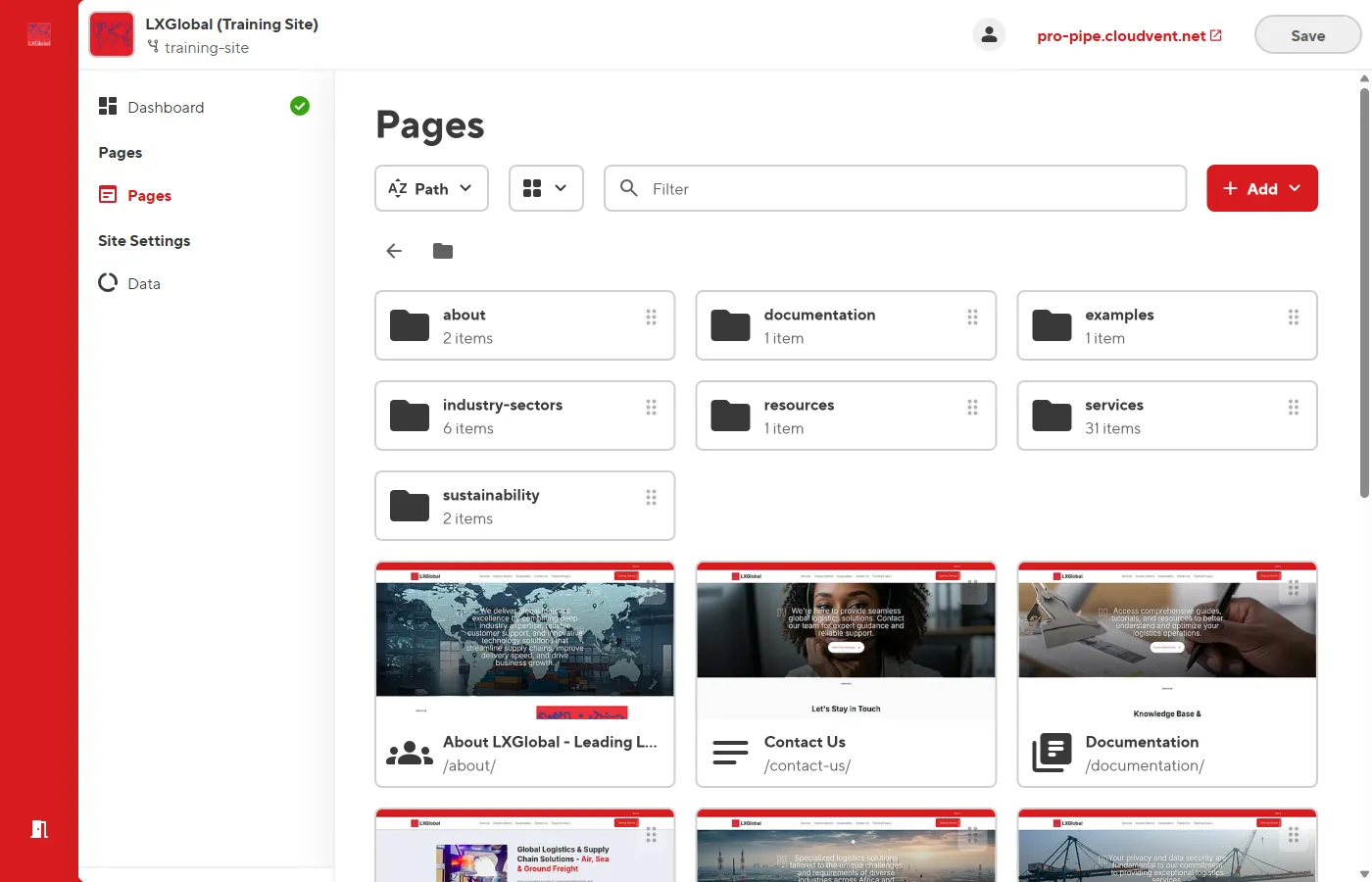
This is where all website pages live. You’ll spend most of your time here. Pages are organized in folders that mirror the website structure:
- Homepage (
index.md) - About — Company overview, Who We Are, Management Profile
- Services — Service landing pages and sub-service detail pages
- Industry Sectors — Sector landing and detail pages
- Resources — Case studies and resource pages
- Documentation — User guides and technical docs
- Sustainability — Green initiatives and commitments
Site Settings (Data)
Section titled “Site Settings (Data)”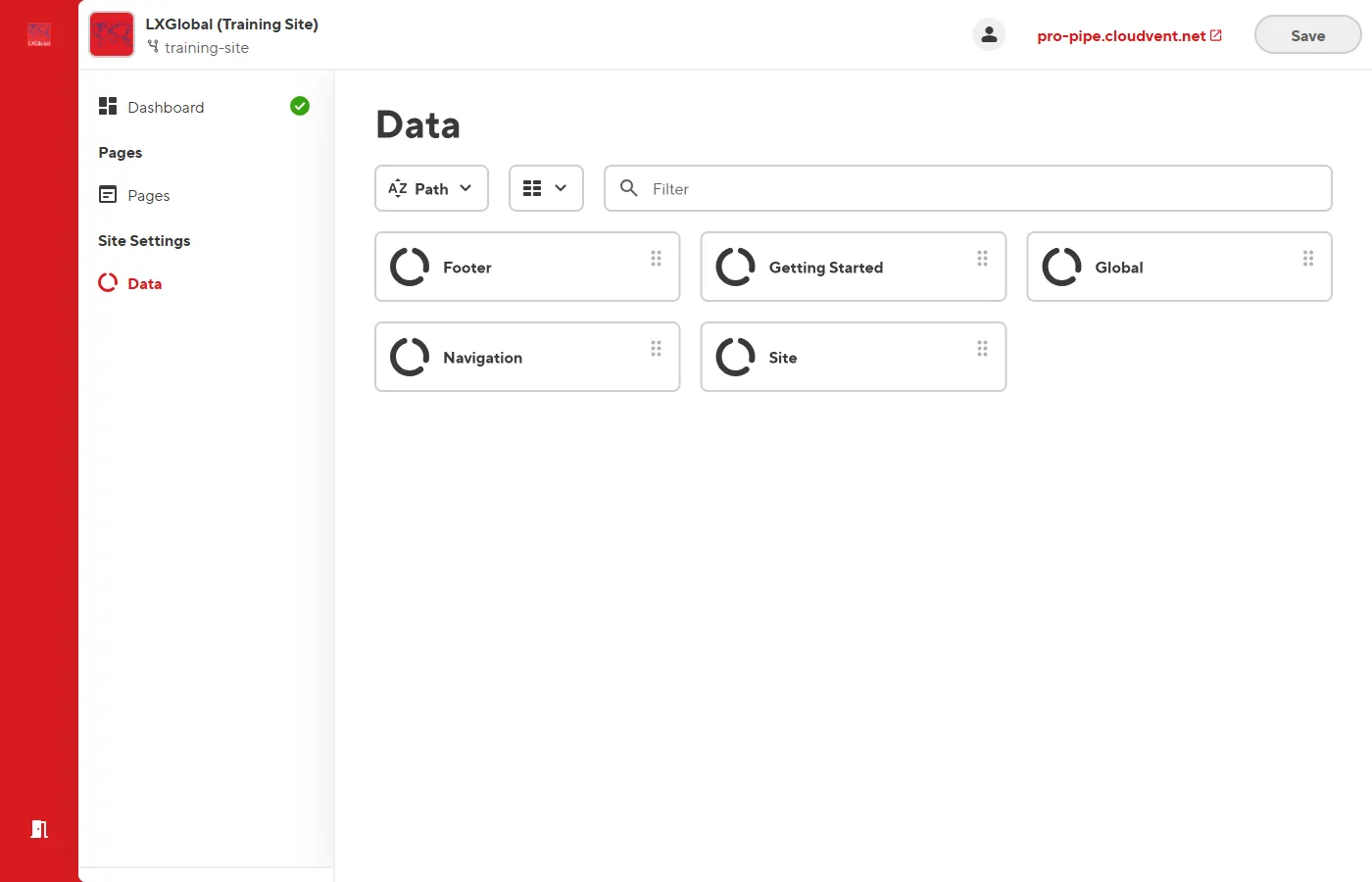
This section contains site-wide configuration files:
- Navigation — The main menu links
- Footer — Footer columns and links
- Global — Office locations, solutions showcase, newsletter, contact info
- Site — Site title, meta description, favicons
Opening a Page
Section titled “Opening a Page”-
Click Pages in the left sidebar.
-
Browse the folder structure or use the search bar to find your page.
-
Click on the page name to open it in the Visual Editor.